In Monster Hunter Wilds, your Palico both your companion and an essential part of your journey, assisting in hunts, providing buffs, and even engaging in some light-hearted Felyne banter.
One of the more interesting customization options in the game is the ability to change your Palico’s language, allowing them to speak in their traditional Felyne dialect or in the same language as your character.
If you want to customize how your Palico communicates, here’s how you can change their language in Monster Hunter Wilds both during character creation and later in the game.
How to set Palico language at character creation
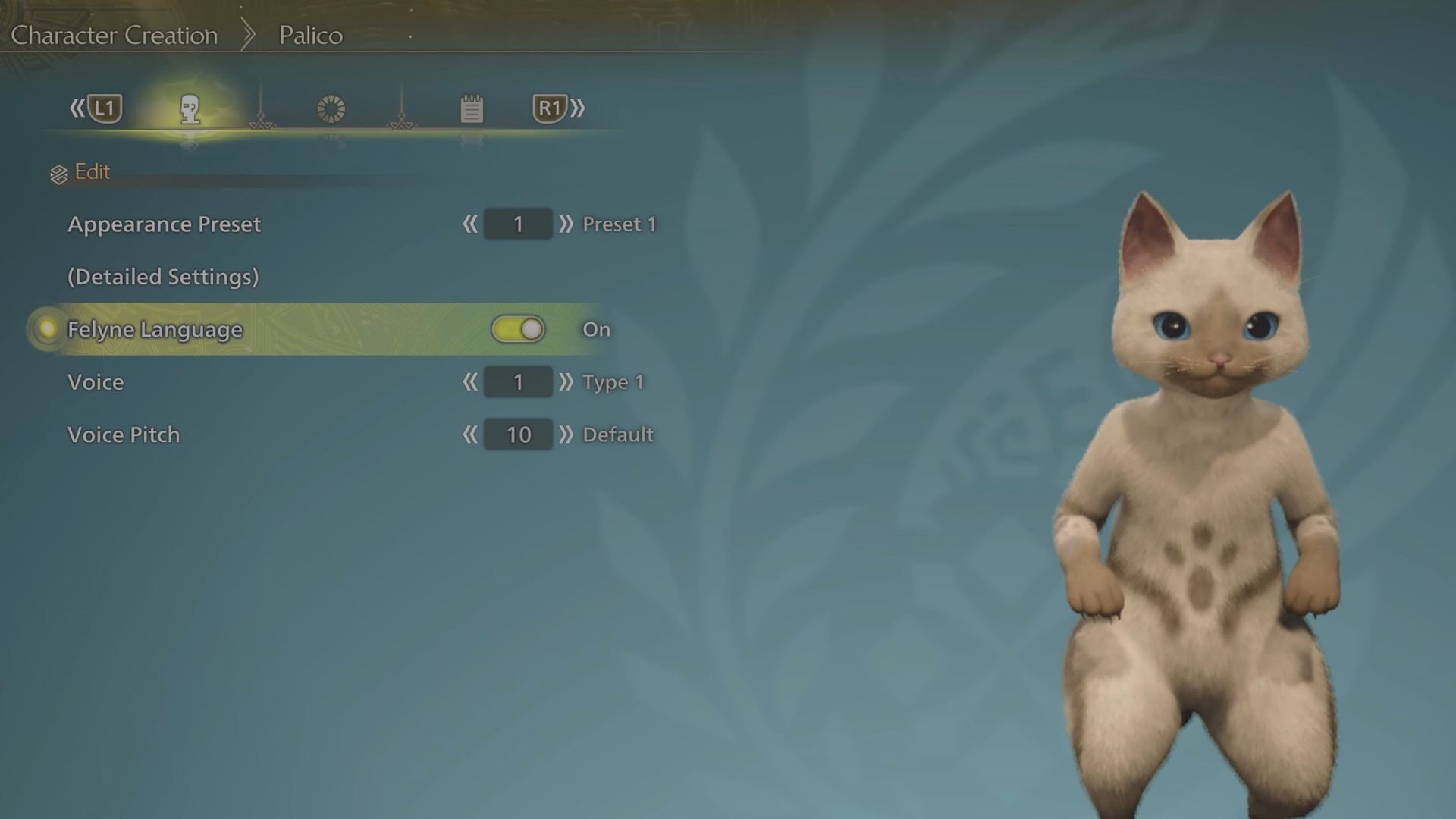
When you first create your Palico companion, you’ll have the option to toggle the Felyne Language on or off. This setting is found in the character creation menu under the Felyne Language toggle.
If toggled on, your Palico will speak in the classic Felyne language, with their unique cat-like expressions and noises. If toggled off, your Palico will speak in your game’s designated language (such as English, Japanese, or another localized voice option).
This allows you to choose whether you prefer immersion in the Felyne dialect or a more understandable conversation with your Palico.
How to change Palico language after character creation
If you change your mind after creating your Palico, you’re not stuck with your original choice.
You can adjust your Palico’s language through these two methods:
- Open the Options menu in-game.
- Navigate to the Audio tab.
- Locate the Felyne Language toggle and switch between Felyne Language or Set Voice Type (which follows your selected game language).
Once adjusted, your Palico will immediately switch to the selected voice type, allowing you to enjoy their dialogue in your preferred language.
Changing Palico language at the tent
Another way to change your Palico’s voice settings is through the Change Appearance feature at your tent.
- Head to a camp and access your tent.
- Select the Change Appearance option.
- Locate the Palico language setting and toggle between Felyne Language and your set game language.
- While you’re here, you can adjust your Palico’s voice pitch, further customizing how they sound.
This option is useful if you want to experiment with different voice styles or if you regret your initial character creation choices.
Other Monster Hunter Wilds articles you may like