Home [Video] [Tip] Samsung Z1 Smart Phone – How to Enhance Browsing Speed

[Video] [Tip] Samsung Z1 Smart Phone – How to Enhance Browsing Speed


Samsung Z1 Browsing Speed

If you’ve recently purchased your Samsung Z1 in India or Bangladesh, you might find that the browsing might be a little slow at times. There is a quick fix to enhance the browsing speed of Samsung Z1 Tizen Smartphone.
 

Instructions

  • Launch the browser
  • Select settings button
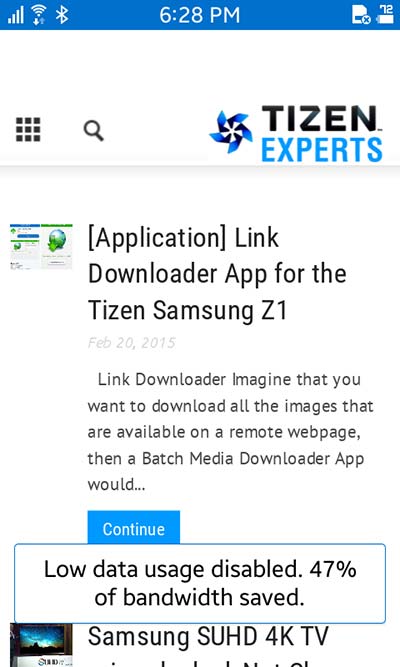
  • Select Disable Low data usage

 
Faster-web-browsing-samsing-z1-tizen-experts
 
Note: Low data usage mode is enabled by default. Turn it off to enhance your browsing speed.
 

Video


Thanks to Daniel Juyung Seo for the details and video.

 

About ReadWrite’s Editorial Process

The ReadWrite Editorial policy involves closely monitoring the gambling and blockchain industries for major developments, new product and brand launches, game releases and other newsworthy events. Editors assign relevant stories to in-house staff writers with expertise in each particular topic area. Before publication, articles go through a rigorous round of editing for accuracy, clarity, and to ensure adherence to ReadWrite's style guidelines.