As e-book sales continue to grow, the bibliophiles among us are wont to ask “Hey, what about libraries?” Will we be able to check out digital versions of books from our local libraries and read them on our e-readers?

Yes, if your library uses Adobe Digital Editions for its e-books and if you have the Bluefire Reader app. The app, available for free for iPhone and iPad, allows you to access the digital version of the books you check out from your (participating) local library.
The Seattle Public Library, for example, has a large selection of e-books to choose from. And via the library’s website you can add e-books to your cart, check them out and download them. The files can then be transferred to the Bluefire Reader app, which verifies you’re authorized to access the book (provided, of course, you make sure you use the same ID for both Adobe and the Bluefire Reader app).
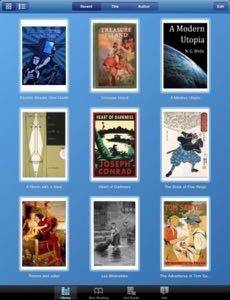
As we’ve noted before, the DRM restrictions on e-books can complicate the ability for libraries to make them accessible to patrons. But the Adobe Digital Editions and the Bluefire Reader app address this issue.
By using the Adobe Digital Edition, the Bluefire Reader app will also allow you to transfer books that you’ve purchased from many different booksellers between your various reading devices and personal computers.