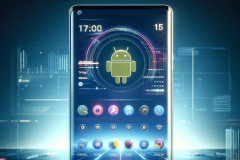
Samsung has its own Theme Store on Tizen for those that never get enough of customization, but what if you want to add a little extra flair to your lock screen? An app called Live Lock Screen considers your lock screen worthy of customization.
Live Lock Screen is a Smartphone App which weighs in at a small 4.69MB and requires you to disable your default screen lock if you have one enabled. NOTE: It is recommended to disable default screen lock: Settings -> Lock screen and security -> Screen lock type -> None.
Once you go to your lock screen settings and disable the default lock screen, you must then go to the Live Lock Screen’s Lock Configuration Settings and enable the lock screen (first setting at the top). The Live Lock Screen app allows you to choose everything from unlock style (zoom in, zoom out, fade, rotate) to animation (Moon, Galaxy, Color stripes), clock style, and whether you want your phone’s battery percentage displayed, an unlock sound/vibration, and the choice between 12-hour or 24-hour time formats.
The Live Lock Screen App is available at the Tizen Store for free and is compatible with Tizen phones running Tizen 2.3 and higher. Give it a spin and let us know your thoughts.
Related News