You got that email again. You know the one. The one you’ve answered a million times. And even though you don’t have anything more you can add to your response – time after time after time – you dutifully craft the same exact email, each and every time. If only Gmail had some way to save a standard response to that question.

Now, it does. Enter Gmail Canned Responses, a new release from Google Labs that lets you save that response as a template. With Canned Responses, you can answer that annoying question with a few clicks of your mouse. And you can do some other interesting things, too.
After installing Canned Response via Google Labs, building a response is as easy as composing a message and then saving it.
Sending a canned response is even easier. Just select it from the menu.
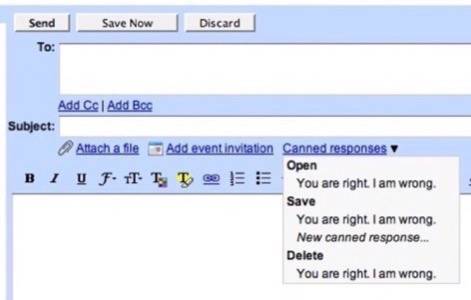
But what if you’re even lazier than that? You’re in luck.
Using Gmail’s filters, you can create any number of filters and rules that fire off your carefully worded missives to the people who need them most.
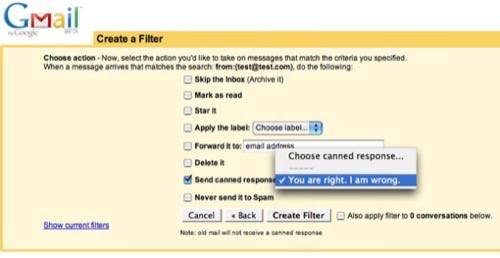
With a thoughtfully constructed set of filters and responses, I can see you eliminating a great deal of repetitious work for yourself. In fact, I’d say it’s safe to assume that your efficiency just quadrupled.
But I’ll still be expecting a personalized response from you.
To try Gmail Canned Reponses for yourself, head over to Google Labs and enable the feature.