Tizen’s theme store is one of the main ways in which users can customize their Tizen smartphones. However, if you are not impressed by all the themes available in the store, then Samsung’s Tizen Theme Editor tool is just what you should be looking out for. This Windows desktop only program lest you create your Tizen themes. The theme editor doesn’t require you to have any programming knowledge as the process only involves clicks, drags and drops to get most of the work done.
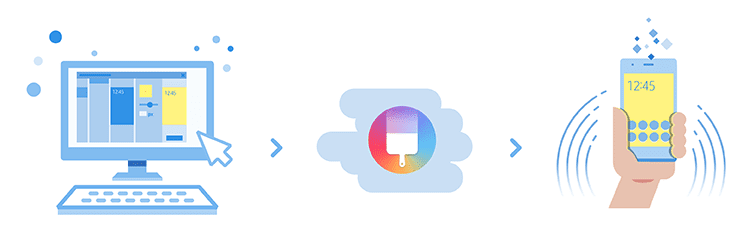
The Tizen theme editor lets users create Lock screens, wallpaper of the Home screen, basic colors, and Application icons and Keyboard. Finalized themes will have to be registered in the Samsung Theme store before they can be made available on the Tizen theme store. You can find the complete details for registrations here. Users can distribute their themes on the theme store either for free or at a price.
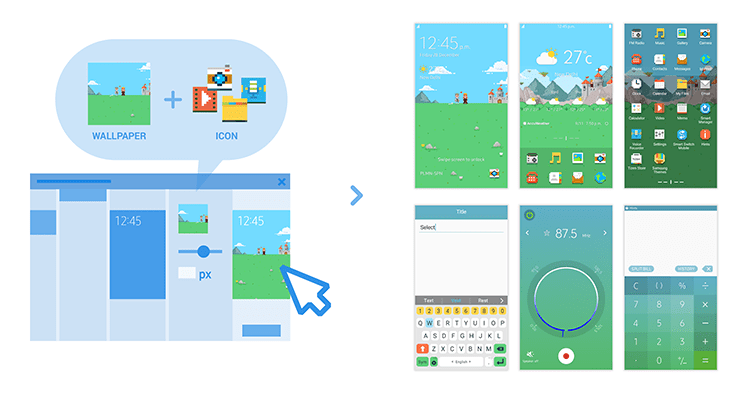
There is a preview button to have a quick look at how the theme is shaping up to. Users can upload the TPK format themes directly to the tizen store from the Theme editor. There is a also an ‘Apply to device’ menu to check to check how the themes turn out to be on actual Tizen smartphones. You can download the Tizen Theme Editor from here.
Related News