To convert your bada application to Tizen, the migration tool must be installed. The migration tool is the add-on SDK in Tizen that converts your bada application to a Tizen application with the OSP-compatible mode selected or not.
To install the migration tool:
1. Run the Tizen install manager (located in the /install-manager folder after installing the Tizen SDK).
The following window is shown.
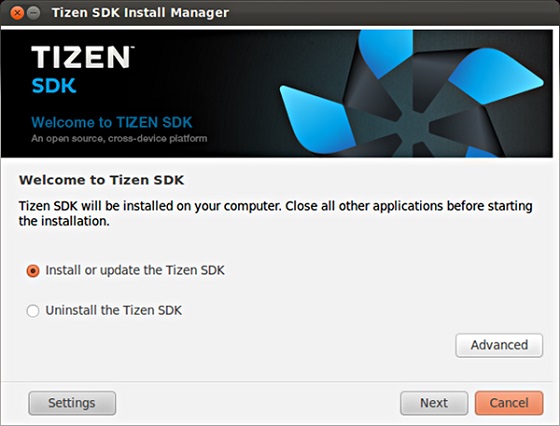
2. Select Install or Update the Tizen SDK and click Next.
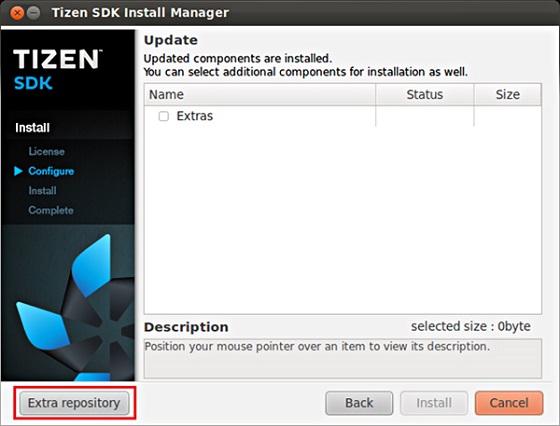
3. Click Extra repository and Add.
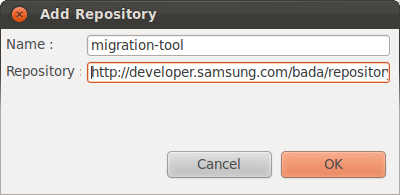
4. Input values to the Name and Repository fields, and click OK.
The repository server address is http://developer.samsung.com/bada/repository/add-on/migration-tool.
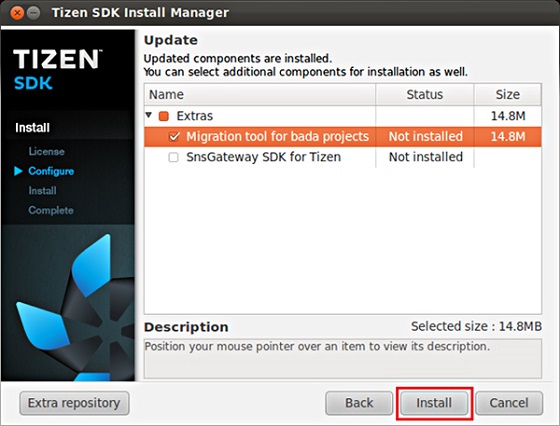
5. Select Migration tool for bada projects and finish the installation by clicking Install.
After installing the migration tool, you can import your bada application and convert it to a Tizen native application. For detailed information, see the documents in the /documents folder.
Source Bada Developers

Related News