The Galaxy Watch Active 2 has recently started being released, slowly making its way across the globe. One thing that people have noticed when getting their Galaxy Watch Active 2 Touch Bezel doesn’t work.
The Galaxy Watch Active 2 Touch Bezel is something that many people want to try out when buying the smartwatch. But the feature is, in fact, just disabled. So in order to overcome this, you need to activate it manually. Why did Samsung do this? We don’t know.
How To Activate the Touch Bezel Feature on the Galaxy Watch Active 2
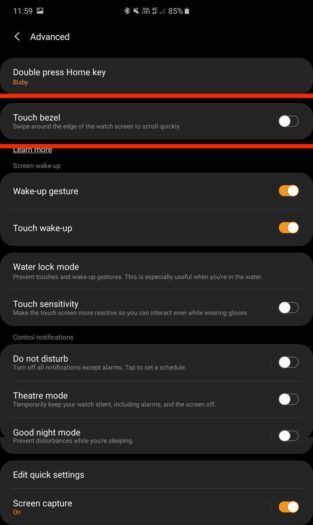
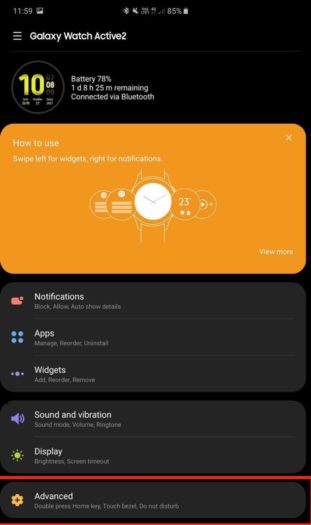
After you’ve paired your smartphone and the Galaxy Watch Active 2, you’ll need to go into the Galaxy Wearable app via your smartphone. Once you’re in the menu of the app, press advanced. In this menu, you will see that there is a toggle for the Touch Bezel that is disabled. Just press on the toggle to activate the feature.