Top Decentralized Crypto Wallets Ranked
Here’s our list of decentralized wallets:- Best Wallet — The overall best decentralized wallet for crypto investors
- Exodus — Popular wallet for desktop users with Windows, Mac, or Linux
- Margex Wallet — Flexible crypto wallet with advanced trading tools
- Cypherock — Secure decentralized hardware wallet with no seed phrase vulnerability
- Tangem — Beginner-friendly hardware wallet, both in design and app functionality
- Zengo — Free wallet app without seed phrase vulnerabilities
- Ledger Stax — The next-gen hardware wallet for secure crypto management
- ELLIPAL Titan 2.0 — Best option to safely keep coins in cold storage
- Trezor Model One — Trusted self-custody crypto cold wallet for just $59
- Ledger Nano X — Established hardware wallet with unparalleled security
- OKX Wallet — Top decentralized wallet for storage, trading, and earning
- Bybit Wallet — Web 3.0 wallet supporting over 10,000 tokens and 20 networks
- Blockstream Jade — Open-sourced Bitcoin hardware wallet with air-gapped security
- NGRAVE — Ultra-clear touchscreen wallet for crypto beginners
- Coldcard — Secure Bitcoin-only wallet device retailing for $157.94
- Bitbox — One of the best offline wallet solutions for ERC-20 tokens
- Keystone — Anti-tamper self-custody wallet with data isolation and biometrics
- SafePal — Bridges the gap between cold storage and web 3.0 integration
- SecuX — Military-grade security for crypto assets and NFT investments
Best Decentralized Crypto Wallets: A Closer Look
We’ll now review the best decentralized crypto wallets listed above. Read on to choose the right wallet for safe crypto storage.1. Best Wallet — The Overall Best Decentralized Crypto Wallet for 2026

| Price | Networks | Fee | App | Features |
|---|---|---|---|---|
| Free | Ethereum, BNB Chain, and Polygon | Determined by the on-ramp provider | Yes | Decentralized token swaps, fiat on-ramp supports debit/credit cards, easily add custom tokens |
Pros
- Offers decentralized token swaps without leaving the wallet
- Robust security features, including biometrics
- Enables users to buy cryptocurrencies with a debit/credit card
Cons
- Some features are still being developed, such as staking and airdrops
2. Exodus — Popular Wallet for Desktop Users With Windows, Mac, or Linux

| Price | Networks | Fee | App | Features |
|---|---|---|---|---|
| Free | Ethereum, BNB Chain, and Polygon | Determined by the on-ramp provider | Yes | Decentralized token swaps, fiat on-ramp supports debit/credit cards, easily add custom tokens |
Pros
- Supports Windows, Mac, Linux, and browser extensions
- Also offers a mobile app for iOS and Android
- Displays real-time crypto prices in your preferred currency
Cons
- Comes with a limited range of security features
3. Margex Wallet — Flexible Crypto Wallet with Advanced Trading Tools

| Price | Networks | Fee | App | Features |
|---|---|---|---|---|
| Free | All major networks | Varies based on payment method and amount | Yes | High-leverage trading, copy trading, real-time portfolio tracking |
Pros
- Integrated with the Margex trading platform for an easy trading experience
- Supports high-leverage trading (up to 100x)
- Offers copy trading feature for less experienced users
Cons
- High-leverage trading can be risky for inexperienced users
4. Cypherock — Secure Decentralized Hardware Wallet with No Seed Phrase Vulnerability

| Price | Networks | Fee | App | Features |
|---|---|---|---|---|
| $150 | 1000+ | – | Yes | Private key splitting, no seed phrase vulnerabilities, multi-wallet management |
Pros
- Highest security level using cryptographic key splitting.
- Supports 9,000+ digital assets including Ethereum, Bitcoin, and more.
- Compatible with DeFi and NFTs via WalletConnect.
Cons
- No fiat on-ramp for buying crypto directly.
5. Tangem – Beginner-Friendly Hardware Wallet, Both In Design & App Functionality

| Price | Networks | Fee | App | Features |
|---|---|---|---|---|
| Ranges between $54.90 to $160 | Bitcoin, Ethereum, Solana, and more | Determined by the on-ramp provider | Yes | NFC communication system, EAL6+ certified chip, and no seed vulnerability |
Pros
- Beginner-friendly
- Supports buying, selling, and trading of over 6,000 crypto assets
- Seamless access to multiple dApps
- Maximum security and durability
Cons
- High fees by third-parties
6. Zengo — Free Wallet App Without Seed Phrase Vulnerabilities

| Price | Networks | Fee | App | Features |
|---|---|---|---|---|
| Free (premium plan available) | Bitcoin, Dogecoin, Ethereum, BNB, Polygon, Arbitrum, and Optimism | Determined by the on-ramp provider | Yes | MPC security, no seed phrase vulnerability, in-app token swaps |
Pros
- Wallet credentials are split on multiple unconnected servers
- Uses multi-factor authentication for wallet recovery
- Comes with in-built token swaps and a fiat on-ramp
Cons
- Doesn’t come with staking tools
7. Ledger Stax — The Next-Gen Hardware Wallet for Secure Crypto Management

| Price | Networks | Fee | App | Features |
|---|---|---|---|---|
| $530.00 | Bitcoin, Ethereum, Solana, USDT, and more | Determined by the on-ramp provider | Yes | Secure curved touchscreen, magnet stackable design, wireless charging |
Pros
- Industry-leading security with Secure Element chip and Ledger OS
- Customizable curved E Ink display for personalized NFTs or images
- Long-lasting battery with wireless charging support
Cons
- Higher price point compared to other hardware wallets
8. ELLIPAL Titan 2.0 — Best Option to Safely Keep Coins in Cold Storage

| Price | Networks | Fee | App | Features |
|---|---|---|---|---|
| $169 + shipping fees | 41 blockchains, including Bitcoin, Ethereum, Solana, Cardano, Ripple, and BNB Chain | Determined by the on-ramp provider | Yes | Air-gapped security, supports over 10,000 coins and tokens |
Pros
- Uses air-gapped security to avoid external connections
- Supports 41 blockchain networks
- Comes with in-built token swaps and staking
Cons
- Only 5 staking coins are supported
9. Trezor Model One — Trusted Self-Custody Crypto Cold Wallet for Just $59
| Price | Networks | Fee | App | Features |
|---|---|---|---|---|
| $59.00 + shipping fees | Bitcoin, Ethereum, Bitcoin Cash, Stellar, BNB Chain, Polygon, Mantle, Cronos, Arbitrum | Determined by the on-ramp provider | Yes | Transactions authorized on the device, wallet recovery via the backup passphrase, staking tools |
Pros
- Retails for just $59 on the manufacturer’s website
- Top-notch security features with a simple wallet recovery
- Enables users to easily stake crypto
Cons
- Shipping fees can be high depending on where you live
10. Ledger Nano X — Established Hardware Wallet With Unparalleled Security
| Price | Networks | Fee | App | Features |
|---|---|---|---|---|
| $149.00 | Dozens | Determined by the on-ramp provider | Yes | Cold wallet storage, supports ETH and SOL staking, fiat-on ramp |
Pros
- Remote recovery if the wallet is lost, damaged, or stolen
- Prices include shipping fees
- Supports the best meme coins, including Dogecoin
Cons
- Not as secure as an air-gapped wallet
11. OKX Wallet — Top Decentralized Wallet for Storage, Trading, and Earning

| Price | Networks | Fee | App | Features |
|---|---|---|---|---|
| Free | 80+ networks | Determined by the on-ramp provider | Yes | Connects with hundreds of liquidity pools, swap and earn yields on thousands of tokens |
Pros
- Optional MPC security add-on for enhanced safety
- A great option for earning yields on idle tokens
- Offers in-wallet token swaps from over 400 liquidity providers
Cons
- Doesn’t offer a fiat off-ramp for cash withdrawals
12. Bybit Wallet — Web 3.0 Wallet Supporting Over 10,000 Tokens and 20 Networks

| Price | Networks | Fee | App | Features |
|---|---|---|---|---|
| Free | 20+ networks | Determined by the on-ramp provider | Yes | Supports storage, swaps, and earning, offers access to new IDOs |
Pros
- Seedless phrases via MPC technology
- Access to new IDOs and crypto airdrops
- Connects to the Bybit exchange to get 125x leverage
Cons
- Doesn’t offer desktop software for Windows or Mac
13. Blockstream Jade — Open-Sourced Bitcoin Hardware Wallet With Air-Gapped Security

| Price | Networks | Fee | App | Features |
|---|---|---|---|---|
| $64.99 + shipping fees | Bitcoin | N/A | Yes | Open-sourced code, protected by air-gapped security, supports the Bitcoin Lightning network |
Pros
- Robust security features including air-gapped technology
- Compatible with the Lightning network for fast Bitcoin transfers
- Open-sourced code for enhanced transparency
Cons
- Doesn’t support altcoins
14. NGRAVE — Ultra-Clear Touchscreen Wallet for Crypto Beginners

| Price | Networks | Fee | App | Features |
|---|---|---|---|---|
| $398.00 + shipping fees | 15 networks | N/A | Yes | Touchscreen wallet with a 4” screen, transactions are approved via QR scanning |
Pros
- State-of-the-art hardware wallet with a 4” touchscreen
- No external connections with USBs, Bluetooth, or WIFI
- Users can store backup passphrases on stainless steel
Cons
- Huge price-tag of $398 plus shipping fees
15. COLDCARD — Secure Bitcoin-Only Wallet Device Retailing for $157.94

| Price | Networks | Fee | App | Features |
|---|---|---|---|---|
| $157.94 | Bitcoin | N/A | No | It has a viewable, editable, verifiable, and reproducible code, and it supports PSBT and BIP-39 passphrases, and Trick PINs |
Pros
- Air-gapped cold wallet that uses Microchip’s ATECC608 and Maxim’s DS28C36B
- PSBT and Tor support
- Trick PINs security feature
Cons
- Doesn’t support altcoins
16. Bitbox — One of the Best Offline Wallet Solutions for ERC-20 Tokens

| Price | Networks | Fee | App | Features |
|---|---|---|---|---|
| $135.00 | Bitcoin, Litecoin, Cardano, Ethereum | Depending on the network | Yes (Android) | Top-tier security features, supports 1,500+ ERC-20 tokens, EVM-based networks, and dApps |
Pros
- Supports 1,500+ ERC-20 tokens
- It can be connected to dApps
- Simple to use
Cons
- No iOS app support
17. Keystone — Anti-tamper Self-Custody Wallet With Data Isolation and Biometrics

| Price | Networks | Fee | App | Features |
|---|---|---|---|---|
| $149.00 | 200+ blockchains | Depending on the network | Yes | A fully open-source wallet that supports 5,500+ tokens, 200+ blockchains, and 30 software wallets |
Pros
- Supports 5,500+ tokens, 200+ blockchains, and 30 software wallets
- Equipped with three security chips
- Fully open-source wallet
Cons
- Relies on integrations with third-party wallets
18. SafePal — Bridges the Gap Between Cold Storage and Web 3.0 Integration

| Price | Networks | Fee | App | Features |
|---|---|---|---|---|
| $49.99 | 100+ blockchains | Depending on the network | Yes | First hardware wallet backed by Binance, supports 30,000+ tokens and 100+ blockchains, and its app can be integrated with dApps and NTFs |
Pros
- Backed by Binance
- Supports 30,000+ tokens and 100+ blockchains
- An easy-to-use mobile app that can be integrated with NFT marketplaces and DeFi protocols
Cons
- No integration with desktop wallets
19. SecuX — Military-Grade Security for Crypto Assets and NFT Investments

| Price | Networks | Fee | App | Features |
|---|---|---|---|---|
| $199.00 | Ethereum, Polygon, BNB Chain, and Solana | Depending on the network | Yes | First NFT hardware wallet that enables trading and storing 5,000+ tokens and NFTs on Ethereum, Polygon, BNB Chain, and Solana |
Pros
- Multi-chain NFT support
- Military-grade CC EAL5+ secure element chip
- Dynamic keyboard protection
Cons
- Not EVM compatible
How We Ranked the Best Decentralized Crypto Wallets
Here’s how we ranked the best decentralized wallets in the market — the core features and factors we focused on are summarized below:- Complete Decentralization — At a minimum, all of the wallets ranked offer a decentralized experience. This means only the wallet user has access to the private keys. What’s more, users can send and receive funds without requiring approval from a third-party custodian. This ensures users have full control over their crypto investments.
- Security — Decentralized wallets should offer adequate security features, although the specifics vary depending on the device type. For instance, hardware wallets are the most secure option, as private keys are always offline. Hardware wallets can also offer MPC and air-gapped security. Software wallets have alternative security features, such as two-factor authentication and biometrics.
- Supported Coins — The best decentralized crypto wallets support a wide range of coins, such as Bitcoin, Ethereum, BNB, and Solana. Additional preference was given to wallets supporting custom tokens on each network. For instance, if the wallet supports Ethereum, it should support all ERC-20 tokens.
- Fees — We included a selection of free software wallets to ensure that budget-conscious investors are catered for. We also ranked hardware wallets with various price tags. For instance, the Trezor Model One costs just $59. In contrast, NGRAVE retails for $398. We also examined fees for additional features like token swaps, staking, and fiat purchases.
- User-Friendliness — Some wallets are ideal for beginners, as they require little to no experience in crypto storage. That said, we also included decentralized wallets more suited for intermediate and advanced users. This ensures that all skill sets are catered for.
- Device Type and Operating Systems — We included decentralized wallets for all device types, including desktop software, mobile apps, and browser extensions. We also covered the most popular operating systems, such as Windows, Mac, Linux, Android, and iOS.
What Is a Decentralized Cryptocurrency Wallet?
What makes a crypto wallet decentralized? Decentralized crypto wallets are also known as ‘self-custody’ or ‘non-custodial’ wallets. They enable crypto investors to become their own banks because they do not rely on custodians, such as exchanges. As such, users can send and receive crypto coins without needing approval from a third party. What’s more, only the wallet owner has access to the private keys. These keys are essentially the wallet’s password — without them, access isn’t possible. Put otherwise, decentralized wallets are synonymous with keeping assets in a safe at home. In contrast, centralized wallets are controlled by intermediaries, meaning investors never truly own their coins. For instance, if the crypto custodian is hacked and your account is impacted, your coins could be stolen. Similarly, transferring coins to another wallet requires authorization. This goes against the broader blockchain ethos, which believes in a decentralized, fair, and inclusive ecosystem for all.Benefits of DeFi Crypto Wallets vs Centralized Wallets
This section explores the key benefits of using a decentralized crypto wallet.Make Transfers Without Third-Party Approval
One of the core functions of a crypto wallet is sending and receiving coins. However, the process varies depending on whether the wallet is centralized or decentralized. Let’s say you’re using a centralized wallet offered by Coinbase, Binance, or another popular exchange. You want to transfer some Bitcoins from the exchange to another wallet. You’d need to log into your account, request a withdrawal, and wait for the exchange to approve the transfer. The Bitcoins won’t reach the destination wallet until approval is received. This could take minutes, hours, or days. Delays can happen for many reasons, such as a request for KYC documents. Now consider the transfer process when using a top DeFi wallet. You’d simply need to provide the destination address and authorize the transfer, such as by entering a PIN or providing biometrics. Either way, the transfer is approved automatically, meaning the Bitcoins will be received in about 10 minutes.Build Wealth and Become Your Own Bank
As mentioned, the best decentralized crypto wallets allow users to become their own banks. There’s no reliance on custodians and other intermediaries, which isn’t the case when keeping coins in a centralized wallet.- For instance, suppose you have $5,000 worth of Ethereum held in a crypto exchange account.
- Only the exchange has access to the wallet's private keys. This means they control the Ethereum coins, as transfers can't be made without the exchange's approval.
- Now, let's say the exchange is hacked, resulting in a loss of client funds, including your $5,000 Ethereum balance.
- The exchange does not have the means to repay its clients, so it declares bankruptcy. This means your Ethereum coins are gone forever.
Access Web 3.0 Products On-Chain
We've established that decentralized wallets' primary functions are storage and transacting. That said, many decentralized wallets connect with Web 3.0 ecosystems. This means users can access on-chain products without using third-party intermediaries. For example, suppose you currently hold BNB and want to swap some of those BNB coins for Ethereum. Ordinarily, you'd need to use a centralized exchange to complete the transaction, which means going through custodians and third parties.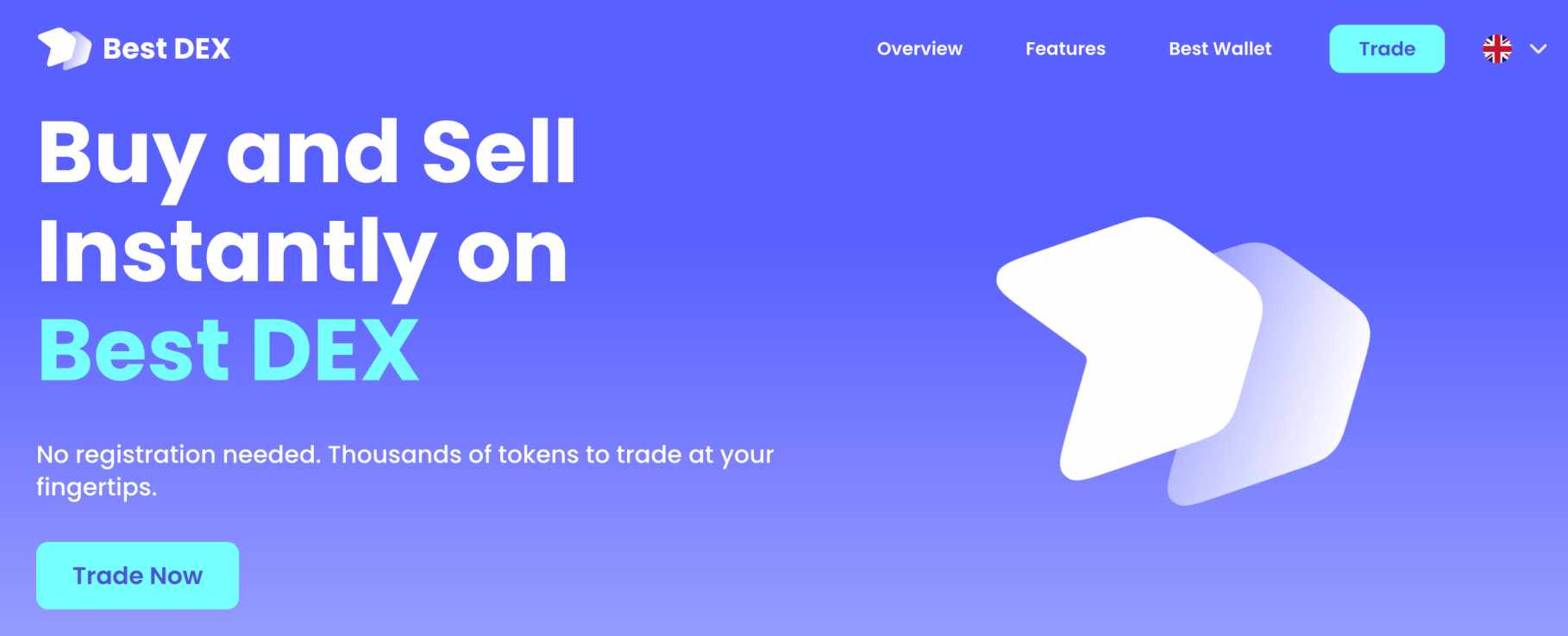 However, using a decentralized wallet means you can swap BNB for Ethereum without leaving the wallet interface. Similarly, some decentralized wallets support earning tools like staking and liquidity farming. This means you can earn yields on idle crypto assets without trusting a centralized provider.
Decentralized Wallets Are Anonymous
Another benefit of using decentralized wallets is that they offer an anonymous experience. Simply download and install the wallet on your preferred device type — no personal information is required. This means incoming and outgoing transactions are associated with a wallet address rather than your identity. Conversely, most centralized wallets are backed by exchanges, many of which have KYC processes. For instance, let's say you're using Coinbase's web wallet. Before accessing the wallet you will have opened an account. In addition to personal information, this would have required a government-issued ID. Therefore, any transactions sent from the Coinbase web wallet can be traced back to your identity documents. This isn't the case when using a decentralized wallet. However, there is an exception — hardware wallets are usually purchased from the manufacturer. This means you'll need to provide a name and delivery address, plus financial details.Types of Decentralized Wallets
All the best decentralized crypto wallets on our list can be downloaded as software or purchased as hardware devices. The key differences are summarized below.Software Wallets
Software wallets are typically free to download and install. Supported device types and operating systems will depend on the wallet provider. For example, Best Wallet is available as a mobile app for iOS and Android. The wallet app is secured by traditional safety controls, such as facial biometrics. Some software wallets are designed for browser extensions. Their security is weaker than that of mobile wallets, as they're only secured by a password. That said, browser-based wallets are popular with active crypto traders, as they easily connect with exchanges. Another option is to download a desktop software wallet. These are often designed for Windows and Mac, although some providers also support Linux. Desktop wallets often come with two-factor authentication, meaning access also requires a secondary device. Nonetheless, all software wallets are exposed to internet threats such as hacking attempts, viruses, and phishing scams. A simple mistake, like clicking a suspicious link, can result in a wallet breach. Therefore, those with a safety-first mindset might be more suited to a hardware wallet.Hardware Wallets
Hardware wallets are the safest way to store crypto coins. So, if you're a long-term investor and/or you're holding large balances, hardware wallets are a must. Unlike software wallets, they're never connected to the internet. This is known as 'cold storage,' which removes virtually all hacking-related risks. What's more, transactions must be confirmed directly on the hardware device, which often requires a PIN. There are also hardware wallets that use air-gapped security, which removes the need for external connections like Bluetooth—another solid safeguard.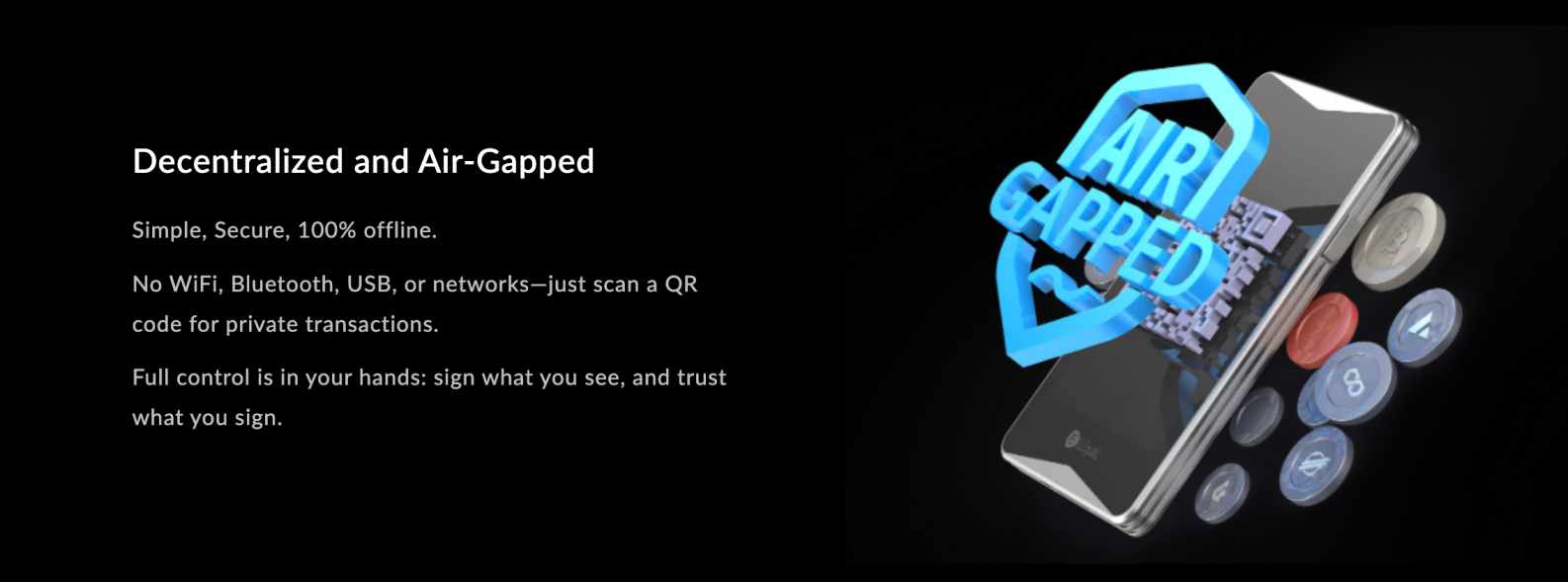 Hardware wallets are still considered safe if they're stolen. This is because they come with a backup passphrase, which is usually a string of 12-24 words. Entering the passphrase on another wallet (software or hardware) will recover the funds, meaning the thief is left with a worthless device.
There are a couple of drawbacks to consider before choosing a hardware wallet. First, hardware wallets aren't free. We discussed options ranging from $59 to $398, which might not be suitable for everyone. Second, although hardware wallets can connect with Web 3.0 applications, the process is more cumbersome than that of software wallets.
Hardware wallets are still considered safe if they're stolen. This is because they come with a backup passphrase, which is usually a string of 12-24 words. Entering the passphrase on another wallet (software or hardware) will recover the funds, meaning the thief is left with a worthless device.
There are a couple of drawbacks to consider before choosing a hardware wallet. First, hardware wallets aren't free. We discussed options ranging from $59 to $398, which might not be suitable for everyone. Second, although hardware wallets can connect with Web 3.0 applications, the process is more cumbersome than that of software wallets.
Are Decentralized Wallets Safe?
In general, the very best decentralized crypto wallets are as safe as it gets when it comes to digital assets. However, some risks should still be considered. For a start, it's important to remember that you're 100% responsible for the crypto coins. After all, the wallet doesn't rely on custodians and other third parties, so there's nowhere to turn if things go wrong. For example, let's say you're using a decentralized wallet app and lose the smartphone on which the app is installed. Ordinarily, this isn't an issue, as the wallet can be recovered via the backup passphrase. Entering the passphrase on any wallet will import the crypto coins to the new device. However, if you've also misplaced the backup passphrase, those coins can never be recovered. Not even the wallet provider can access the required credentials. Similarly, let's suppose the decentralized wallet is hacked. The thief will immediately transfer the coins to their own wallet. This means the coins are gone - as per the anonymous nature of blockchain transactions. This is why hardware wallets are the safest option, as they don't connect to internet servers. This means hacks are virtually impossible. If you do opt for a software wallet, ensure it offers adequate security controls, avoid clicking unknown links, and keep the passphrase safe.How to Keep Your Seed Phrase Secure
As mentioned above, if you've also misplaced the backup passphrase, those coins can never be recovered. Storing your seed phrase online is also inadvisable, as it can be hacked by malicious actors or exposed in a data leak. One option is to store your seed phrase on paper somewhere safe, but this can be vulnerable to physical damage. Another option is using a physical storage device like CRYPTOTAG, which is a titanium plate designed for long-term storage of your seed phrases. Visit CRYPOTAGHow to Setup a Decentralized Crypto Wallet
We'll now explain how to get started with a decentralized crypto wallet. This walkthrough shows the steps with Best Wallet, a secure and trusted wallet app for iOS and Android.Step 1 — Download Best Wallet
Visit the Best Wallet website and download the app to your smartphone.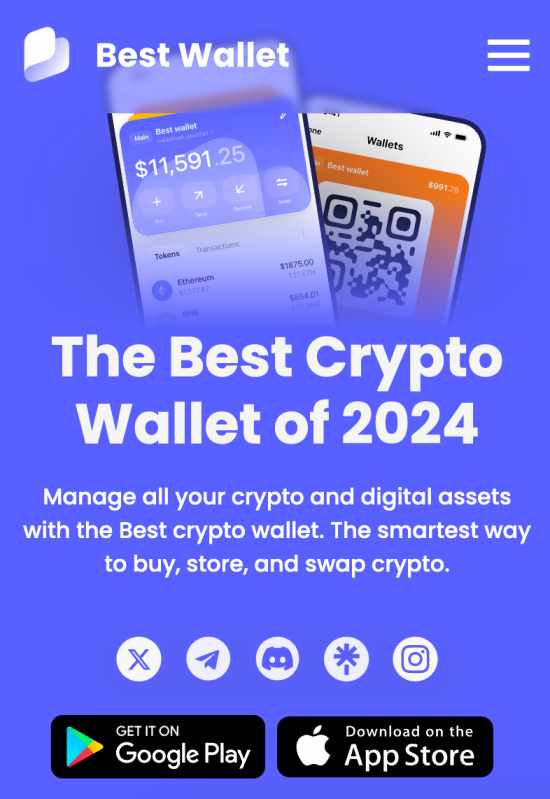 This will ensure you're downloading the official app.
Step 2 — Set Up a New Wallet
Open the Best Wallet app to begin the setup process. Click on the 'Create Wallet' button and follow the on-screen security instructions. You'll be asked to choose a PIN and set up biometrics. These are required whenever you want to access the wallet balance. Next, Best Wallet will display 12 random words - this is your backup passphrase.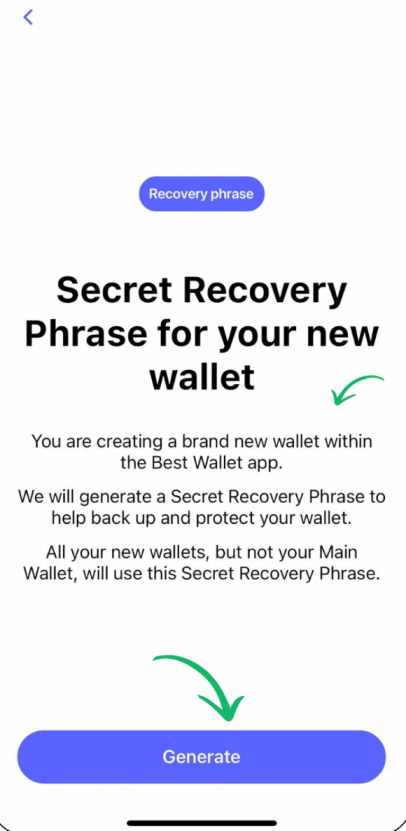 Write them down in the right order. Before proceeding, make sure they've been written correctly. Keep the sheet of paper somewhere safe. If you lose access to the wallet, the backup passphrase will help recover the crypto coins.
Step 3 — Add Crypto to Best Wallet
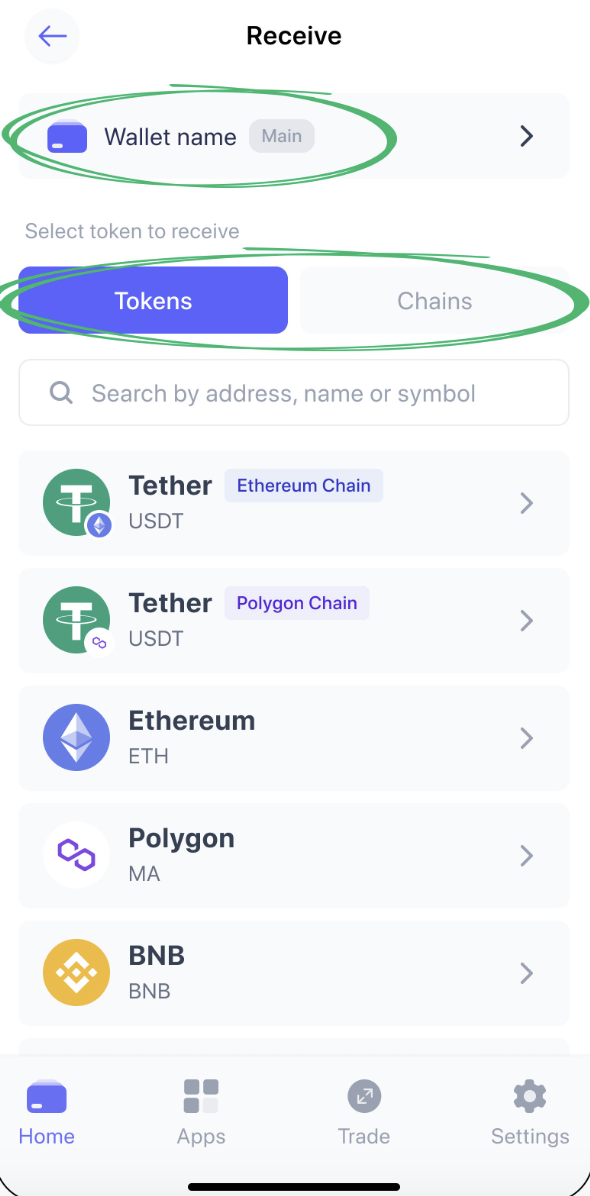
You've now set up and secured the Best Wallet app. The next step is to transfer some crypto coins to your wallet. Click on the 'Receive' button and choose which crypto you want to deposit. Make sure the correct network is selected. A deposit address will then be displayed. Transfer the coins to this address. The coins will show in your Best Wallet balance in a few minutes. Although the time frame will vary depending on the network.