Fact Checked by


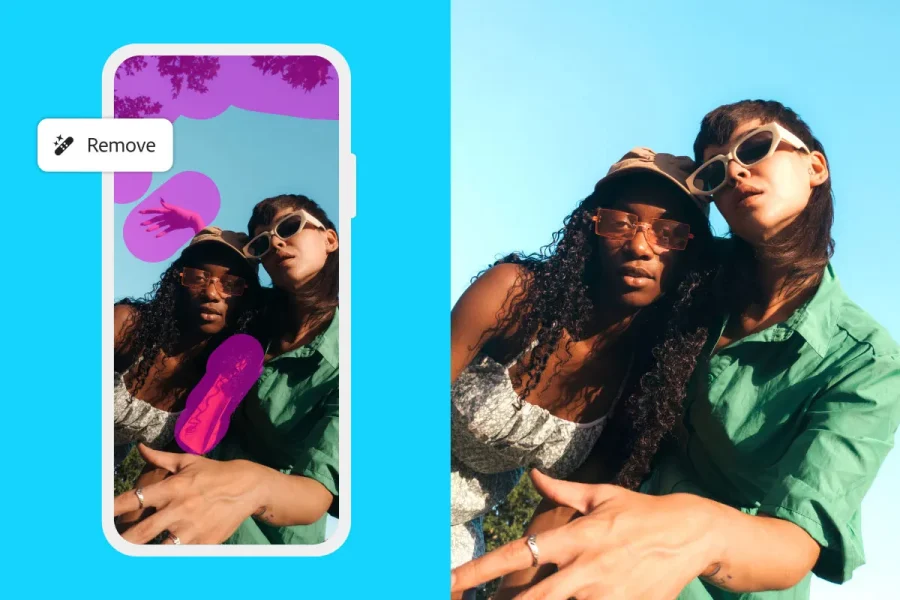
An iPhone app has been developed by Adobe for Photoshop which offers the tool’s core imaging and design features like layering and masking for free.
This is the first time web experience has been created in mobile format, with it aiming to “bring a new generation of creators the power of photoshop in accessible and intuitive interfaces that makes it easy to design and edit stunning visuals.”
The Firefly-powered Generative Fill feature will be included too, as people can now design projects on the go.
Announcing Photoshop on iPhone! 📱✨ The power of Photoshop, now built for iPhone. Edit, design, and create wherever inspiration strikes. Get the full details 🔗 https://t.co/AdfmbBFggf
— Adobe Photoshop (@Photoshop) February 25, 2025
There is a plan to expand what can be found on the app, which was built from the ground up, as the company aims to bring in more tools like precise selections, targeted adjustments, advanced color corrections, and expanded access to commercially safe AI.
This is a first for Adobe, with the web version having a price tag attached. It can be purchased for $22.99 a month on the annual subscription.
What can you do on the free Photoshop app for iPhone?
“We’re excited to bring the limitless creative possibilities of Photoshop to mobile, making the app’s iconic image editing and design capabilities accessible for everyone from professional artists and designers to a whole new generation of creators trying Photoshop for the first time,” said Ashley Still, senior vice president, digital media at Adobe.
“Photoshop’s new mobile and web apps unlock next generation creativity, empowering creators to bring to life gorgeous photos, rich graphics and incredible art anytime, anywhere.”
This comes at a time when studies have suggested Gen Z use their phones for multiple hours a day making them a mobile-minded generation.
For those on an Android, however, there will be a wait as Adobe states in a press release it will be “coming soon.”
The full capabilities available to mobile users of Photoshop include:
- Create images and designs by combining, compositing and blending images with core Photoshop tools and features, including selections, layers and masks
- Remove, recolor or replace parts of an image with the intuitive Tap Select tool
- Utilize advanced removal tools like the Spot Healing Brush
- Generative AI tools powered by Adobe Firefly including Generative Fill and Generative Expand
- Direct integration with apps including Adobe Express, Adobe Fresco and Adobe Lightroom
- Add, replace and create with a library of free Adobe Stock assets
Featured Image: Via the Adobe Blog